

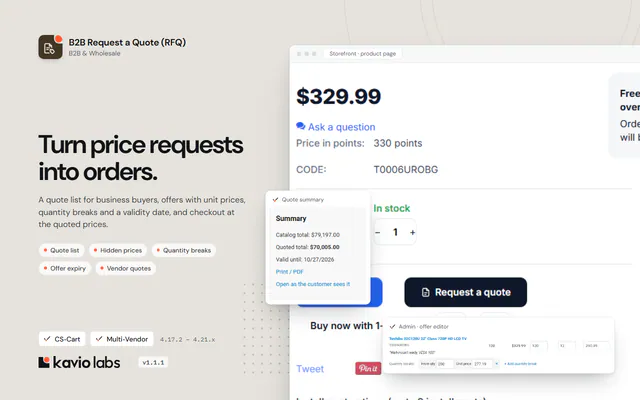
B2B Request a Quote (RFQ)
Request a quote
Quote lists, offers with quantity breaks and validity dates, and checkout at the quoted prices.
from $99
Platforms
 CS-CartAdd-ons and themes for CS-Cart and Multi-Vendor
 OpenCartExtensions and themes for OpenCart 4 and 3
 WooCommercePlugins and themes for WooCommerce
 PrestaShopModules and themes for PrestaShop 8.2 and 9
 ShopifyBuilt for every Shopify plan, billed by Shopify
Stores
CS-Cart & Multi-Vendor · 9 products
Quotes, contract prices, fast re-ordering, approved trade accounts and payment on invoice: the B2B basics, built into your existing CS-Cart store instead of a separate B2B platform.
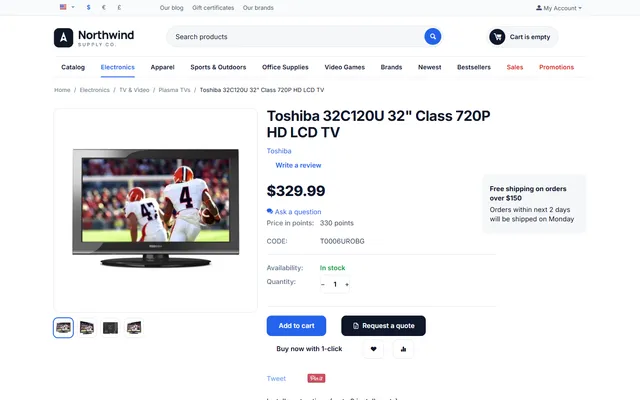
B2B Request a Quote (RFQ)
Quote lists, offers with quantity breaks and validity dates, and checkout at the quoted prices.
from $99
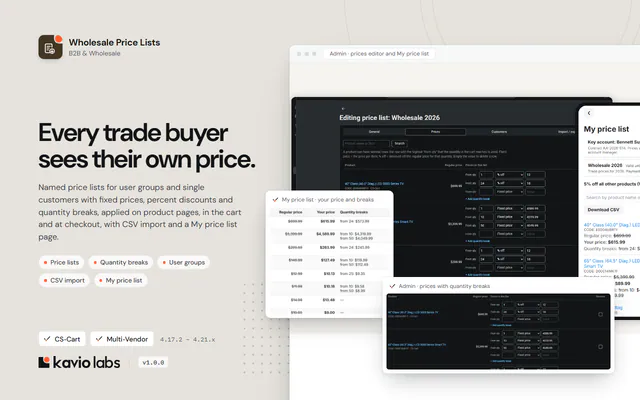
Wholesale Price Lists
Named price lists with quantity breaks for user groups or single customers, with CSV import and validity dates.
from $99
Each add-on works on its own, and they are designed to be combined: a buyer applies for a trade account, sees their own price list, orders by SKU from the quick order form and pays on net terms.
B2B & Wholesale
Quote lists, offers with quantity breaks and validity dates, and checkout at the quoted prices.

B2B & Wholesale
Trade account applications with company details, documents and an EU VAT check, reviewed in a queue and approved into your wholesale user groups.
B2B & Wholesale
A quick order page for business buyers: SKU type-ahead, pasted lists and CSV upload, checked per line with the customer's own prices, plus Reorder and saved lists.

B2B & Wholesale
Named price lists with quantity breaks for user groups or single customers, with CSV import and validity dates.

B2B & Wholesale
Let approved business buyers pay on invoice (Net 15/30/60) with credit limits, PO numbers, due date reminders, online invoice payment, statements and an aging report.
B2B & Wholesale
Designed PDF product catalogs and B2B line sheets: grid, list or table layouts, cover page, user group prices, scheduled rebuilds and a storefront download block.

B2B & Wholesale
Customers upload tax exemption and resale certificates, you review them (scope, expiry), approved customers are not charged tax at checkout and every order keeps the certificate reference.

B2B & Wholesale
Sales reps with their own customers: dashboard, shop as customer with a full audit log, rep price limits and commission tracking.

B2B & Wholesale
Company accounts for B2B buyers: several buyers under one company, five roles, spending limits, budgets and order approval before an order is released.
Prices, licences, full documentation and instant downloads are on the store.
cs-cart.kaviolabs.com · 245 add-ons · 47 themes
B2B buying differs from retail in five ways: buyers need approved accounts, their own prices, a way to negotiate, fast reorders and payment on invoice. Dedicated B2B platforms handle all of it, at the cost of running a second system. CS-Cart can cover the same ground with five add-ons, each doing one of those jobs in your existing store.
| B2B need | Add-on | How it works |
|---|---|---|
| Trade accounts | B2B Registration & Approval | Applications with company details, documents and an EU VAT check, approved into a user group |
| Contract prices | Wholesale Price Lists | Fixed prices, percent discounts and quantity breaks per user group or customer, CSV import |
| Negotiation | B2B Request a Quote | Quote list, offers with validity, message thread, checkout at quoted prices |
| Fast ordering | Bulk Quick Order Form | SKU type-ahead, pasted lists, CSV upload, Reorder and saved lists |
| Pay on invoice | B2B Net Terms & Credit Limits | Net 15, 30 or 60, credit limits, PO numbers, reminders, statements and aging report |
You do not need all five. Many stores start with price lists alone, and add quotes when the e-mail threads get out of hand.
If prices are known and repeat, start with price lists, since buyers can serve themselves. If every deal is different, as with made-to-order goods or project pricing, start with quotes. Hide prices from guests with the quote add-on if you do not want trade prices or list prices shown publicly.
For EU business buyers, also look at EU VAT Number Validation for reverse charge at checkout, and EU e-Invoicing for structured invoices. Min/Max Order & Quantity Rules sets case packs and minimum order values. The Forge theme is built for trade supply: quick order by SKU, stock lights, quantity price breaks, and prices with and without tax.
Most mixed stores want retail shoppers to see nothing of the trade side. CS-Cart user groups make that simple: price lists, quote buttons and payment terms attach to a group or a single customer, and everyone else sees the normal store.
Tax display often differs for trade buyers, so check how prices with and without tax appear for each group before you open registrations.
FAQ
Yes. Price lists, quote buttons and payment terms apply per user group or customer, so retail shoppers keep seeing the normal store.
Yes. For example, quote requests are split per vendor and each vendor answers in its panel.
No. Each works on its own. Wholesale Price Lists alone is a common start, and the others can follow.
Yes. B2B Request a Quote hides prices from guests or chosen user groups on products with the quote button, and they see Price on request instead.
Yes, with B2B Net Terms & Credit Limits: Net 15, 30 or 60 for approved buyers, with a credit limit, PO numbers and reminders.
Yes. Bulk Quick Order Form takes type-ahead, pasted lists and CSV uploads, and checks each line with the customer’s own prices.
Wholesale Price Lists imports CSV by SKU, up to 200,000 rows per file, so an ERP export can update a list.
No. Guests and customers without a list see your regular prices, and this also holds with the 4.21 full page cache.
Kavio Labs
The same standards, the same support desk and one licence portal on every platform we build for.