
Sell by Weight & Length
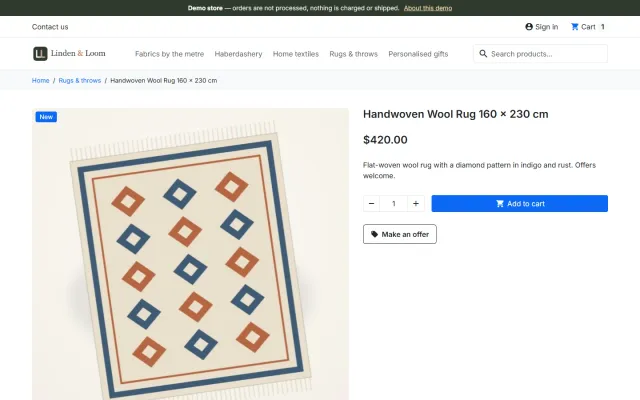
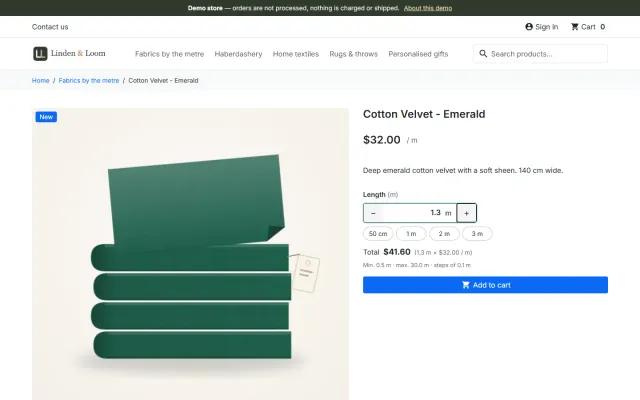
Amounts like 1.25 kg or 2.40 m with quick amounts, a live total, exact decimal stock and real shipping weight.
Platforms
 CS-CartAdd-ons and themes for CS-Cart and Multi-Vendor
 OpenCartExtensions and themes for OpenCart 4 and 3
 WooCommercePlugins and themes for WooCommerce
 PrestaShopModules and themes for PrestaShop 8.2 and 9
 ShopifyBuilt for every Shopify plan, billed by Shopify
Stores
PrestaShop theme · Volt
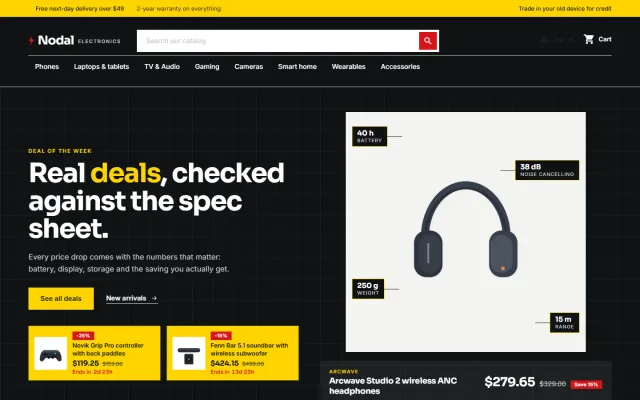
Volt is built for phone, laptop, audio, gaming, camera and smart-home shops, from a single brand store to a full electronics superstore. A dark deal stage with spec callouts and a countdown, a department bar, spec cards with a saving pill and a monthly price line, and a trade-in band. A child theme of Classic, so one package runs on PrestaShop 8.2 and 9.x.
The problem
Electronics shoppers check the numbers before buying: battery, storage, screen size and the real saving. A general theme shows a picture and a price and leaves the rest to the description.
A deal also needs to look like one. Without a visible saving, a price per month and a countdown, a sale price reads like any other price.
Volt: Electronics Theme for PrestaShop
Enable Volt, then regenerate thumbnails once in Design > Image Settings: it uses square picture sizes. Import the demo content "Nodal Electronics" with one button to see the theme working.
Daylight, Signal, Ember or Carbon. They change corners, borders, buttons and the tone of the whole page, not only the colour.
Cards show up to three spec chips from product features whose value contains a number, and a countdown when a discount has an end date in the future.
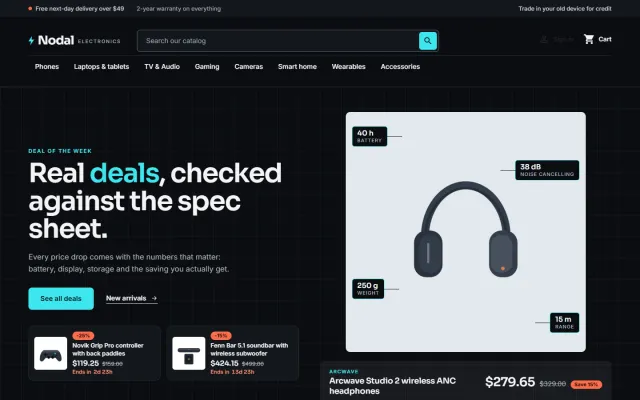
A dark blueprint band with your headline and two buttons, the deal of the week with four spec callouts, the real saving, a monthly line and a countdown, plus two deal tiles.
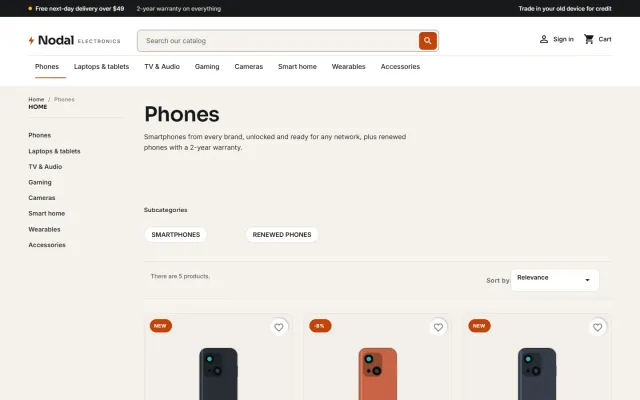
The main menu on its own row under the logo and a wide search field, with an accent underline and a full-width panel for sub-categories.
Square product wells with the brand, up to three spec chips, a big price, a saving pill, the regular price, an or $x/mo line, a stock note and a sale countdown.
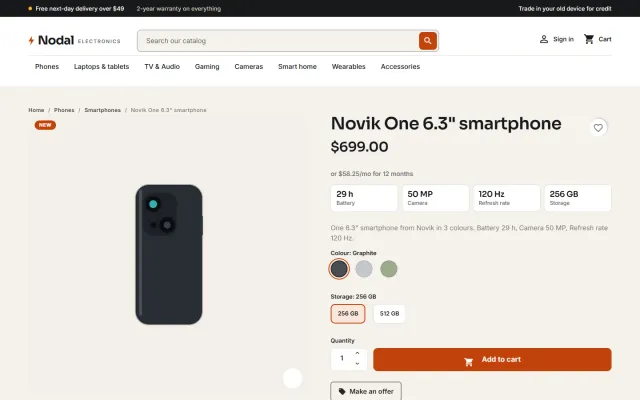
A square gallery, key spec tiles, colour swatches and storage chips, a big Add to cart, and a band above the footer for your trade-in or service offer.
It overrides only a few templates and adds one stylesheet and one script. A small companion module holds the presets, home sections and demo content. No overrides of core or other modules.
Works with the classic five-step checkout and with the PrestaShop 9.2 one-page checkout, in the Volt look. Sora and Inter are served from your own shop.
Volt: Electronics Theme for PrestaShop
Volt is for phone, laptop, audio and gadget shops. A deal stage leads with the deal of the week, four spec callouts from its features, the real saving, an "or $x/mo" line and a countdown, plus two deal tiles. Cards carry key spec chips, a saving pill, the monthly line, a stock note and a sale countdown, and the product page has spec tiles under the price.
A department bar with a full-width sub-category panel, wide search, category tiles, a brand row, promises and a trade-in band make a small shop feel complete.
It uses standard PrestaShop data: features, brands, combinations and specific prices with end dates.
| Element | Source |
|---|---|
| Spec chips | Features whose value contains a number and is shorter than 17 characters, such as "29 h" |
| Saving pill, countdown | Specific prices with end dates |
| Brand row | Brands |
| Monthly line | Informational only, not a payment plan |
Volt blends pictures into a light well with a multiply effect, so white backgrounds look clean, and grey or coloured backgrounds show. Regenerate thumbnails once after enabling it, since it uses square sizes.
The "or $x/mo" line does not create a payment plan. Switch it off if you do not offer instalments.
| Classic | Volt | |
|---|---|---|
| Spec chips on cards | No | From features |
| Deal stage | No | Included |
| Department bar | Basic menu | Included |
| Trade-in band | No | Included |
Four presets are included: Daylight, Signal, Ember and Carbon. The Volt Store Kit on the packages page adds Make an Offer and Abandoned Cart Recovery. Get Volt on the store. Also on OpenCart and WooCommerce.
Electronics buyers are informed, and they compare you with large retailers in another tab. You will not win every price comparison, so make your pages more useful.
For search, buying guides and comparisons bring in shoppers early: "best budget noise-cancelling headphones", or a comparison of two models you stock. Keep them current, because old specs lose trust quickly.
Be careful with discount claims. In many markets a reduction must be measured against a real earlier price. Use real sale prices and real end dates.
Accessories deserve attention too. Link them from the product page and in the cart, so a buyer does not have to look elsewhere for the case or cable.
PrestaShop 8.2 and 9.x, as a child theme of Classic, including the 9.2 one-page checkout. No core changes and no overrides. Sora and Inter ship with the theme. Demo content has one-click removal.
Try the theme on a copy of your shop first. Local development hosts and subdomains of your licensed domain are covered.
A child theme keeps your changes apart from Classic, so a PrestaShop update does not overwrite them. Avoid editing Classic itself.
PrestaShop
Electronics and gadgets theme for PrestaShop 8.2 and 9.x: a dark deal stage with spec callouts and countdown deal tiles, square product wells, key specs…
PrestaShop
The most requested products on this platform. Each one has its own page, and you can buy it straight on the sales site.
Amounts like 1.25 kg or 2.40 m with quick amounts, a live total, exact decimal stock and real shipping weight.
A Make an offer button with negotiation rounds; the agreed price is a specific price bound to one cart.
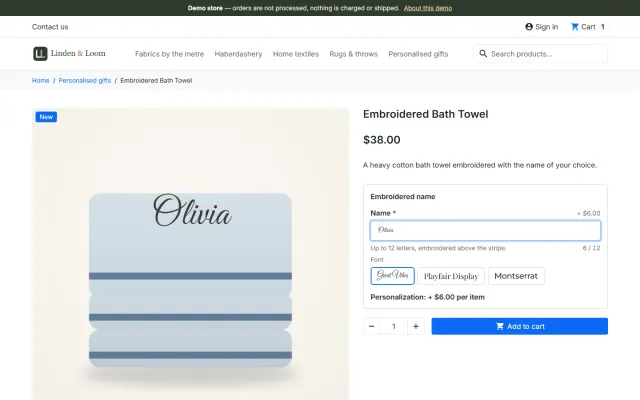
Names, dates and initials previewed on the product image, with fees checked on the server and a production sheet.
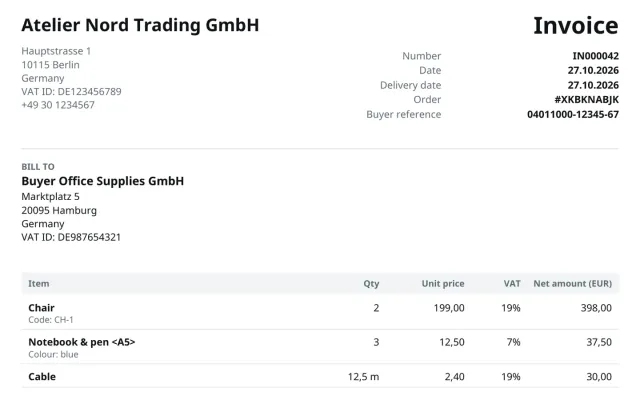
Factur-X/ZUGFeRD, XRechnung and Peppol BIS 3.0 e-invoices with your PrestaShop invoice numbers.
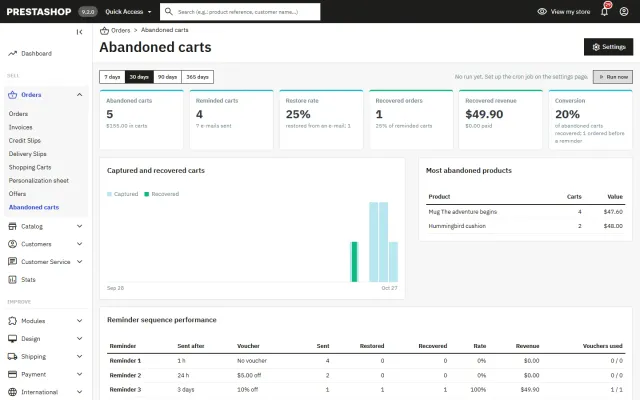
Up to three reminders, single-use vouchers, a signed restore link and recovered revenue per reminder.
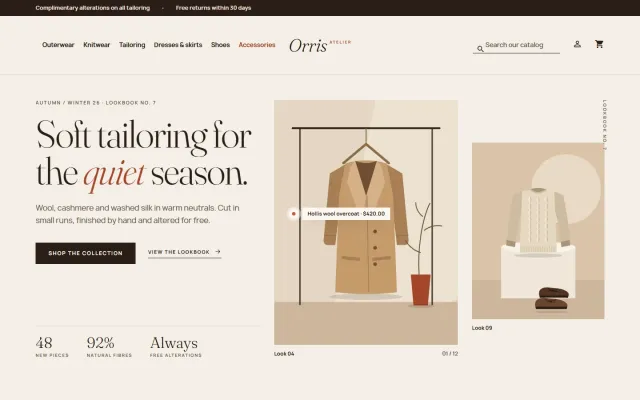
A lookbook-style fashion theme for Classic-based shops, with colour swatches, size chips and four presets.
Prices, licences, full documentation and instant downloads are on the store.
prestashop.kaviolabs.com · 23 modules · 11 themes
FAQ
No. It is a child theme of Classic plus a small companion module. It edits no core files, other modules or Classic, and uses no overrides.
No. It is the price divided by the number of months you set, shown as information. Connect a financing provider for real instalments. Volt does not add a compare tray or versus bars.
Chips come from product features whose value contains a number and is short, such as 29 h. Add such features to the product or switch chips off in the configuration.
Yes. The offer button appears next to Add to cart, the personalizer form sits above the quantity row with its preview on the product picture, and the amount field of Sell by Weight & Length replaces the quantity field.
The shop keeps working and the templates and styles stay. The settings page shows the licence status and some home page sections and presets are switched off until the licence is valid again.
Volt uses a multiply effect on a light well. Use white backgrounds for a clean result.
Chips come from features whose value contains a number and is under 17 characters. You can add such features or switch chips off.
Yes, once after enabling the theme.
The product page has every preset, screenshots and the documentation.
Kavio Labs
The same standards, the same support desk and one licence portal on every platform we build for.