
Sell by Measure
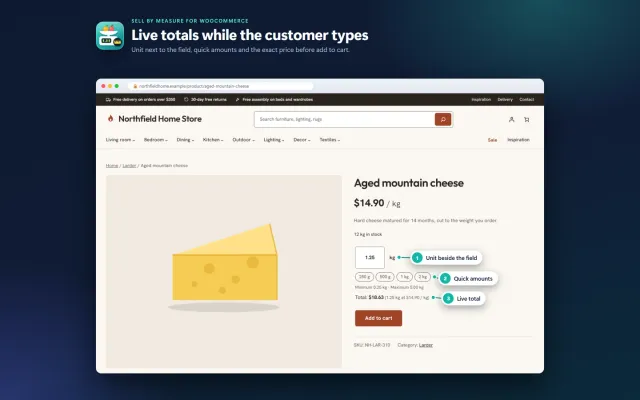
Decimal quantities like 1.25 kg, quick amounts, length × width and exact decimal stock, with the block checkout.
Platforms
 CS-CartAdd-ons and themes for CS-Cart and Multi-Vendor
 OpenCartExtensions and themes for OpenCart 4 and 3
 WooCommercePlugins and themes for WooCommerce
 PrestaShopModules and themes for PrestaShop 8.2 and 9
 ShopifyBuilt for every Shopify plan, billed by Shopify
Stores
WooCommerce theme · Volt
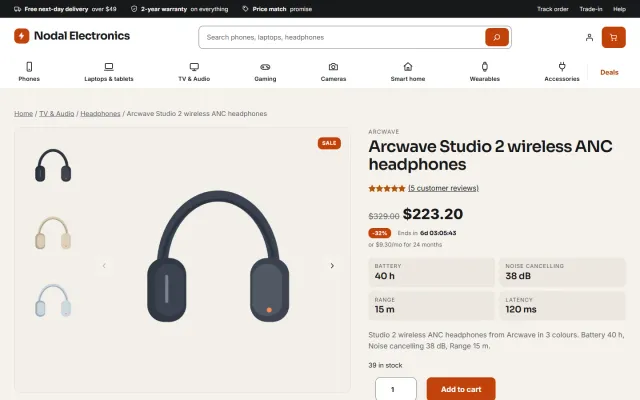
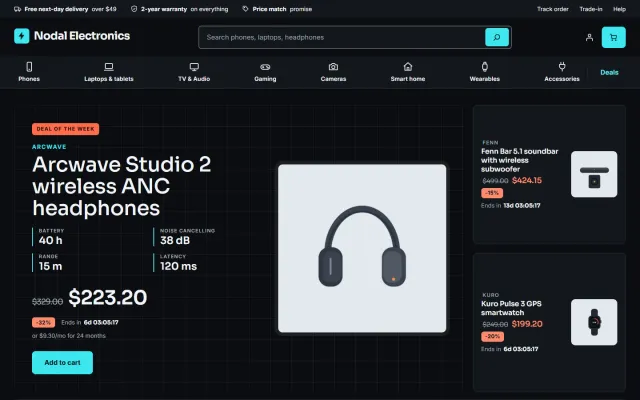
Volt is a classic, conversion-first block theme for phone, laptop, audio, gaming, camera and smart-home stores. A dark deal stage with spec callouts and a countdown, square product wells, key-spec chips on every card, a saving pill, a monthly price line, an icon department bar, a brand row and a trade-in band. The same identity as Volt for OpenCart and PrestaShop.
The problem
Electronics shoppers check the numbers before buying: battery, storage, screen size and the real saving. A general theme shows a photo and a price and leaves the rest to the description.
A deal also has to look like one. Without a visible saving, a price per month and a countdown, a sale price reads like any other price.
Volt: Electronics & Gadgets Deal Theme for WooCommerce
Upload the zip in Appearance > Themes, activate Volt and choose Daylight, Signal, Ember or Carbon in Appearance > Editor > Styles.
One click creates Nodal Electronics: 40 products in 30 categories, six brands, specifications, three timed deals, 140 reviews, four pages and four posts. One click removes it again.
Spec chips come from product attributes, the saving pill and countdown from the sale price and its end date, and the monthly line from the price. Everything is editable in the Site Editor.
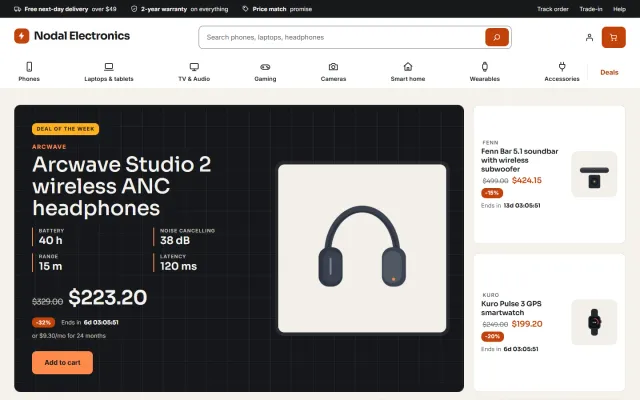
The deal of the week with four spec callouts, the saving, an or $x/mo line and a countdown, plus two deal tiles, as a dark band on the home page.
A promise bar, logo, wide product search, account, mini cart and a department bar with icons, drop-down menus and a Deals link.
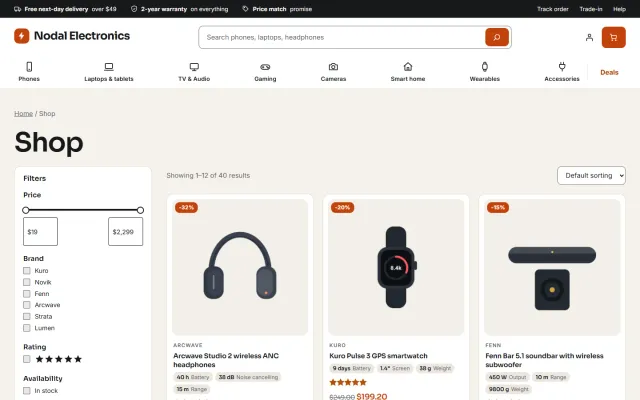
Key spec chips taken from product attributes, a saving pill, the sale countdown and the monthly line on shop, category, search and home cards.
Gallery, price with saving, countdown, monthly line, spec tiles, add to cart, tabs and related products.
The WooCommerce Cart and Checkout blocks, styled, with a minimal secure checkout header. Neutral to High-Performance Order Storage.
Daylight, Signal, Ember and Carbon all meet WCAG AA contrast. Sora and Inter are served from your own site, with no external requests.
Volt: Electronics & Gadgets Deal Theme for WooCommerce
Electronics shoppers compare specs and price. If they have to open ten product pages to learn battery life and storage, many leave for a comparison site. Volt puts the numbers on the card: key spec chips, a saving pill and a monthly price line, from standard WooCommerce product data.
The home page leads with a dark deal stage with spec callouts and a countdown, followed by department tiles, deals, a brand row and a trade-in band. The header has a wide search and an icon department bar, because many visits in this sector start with search.
Nothing here needs a custom field. It reads what you already enter:
| Element | Source | To control it |
|---|---|---|
| Spec chips | First visible product attributes with a short value | Put the key attribute first. Condition, Connection, Brand, Colour and Size are skipped. |
| Saving pill | Regular and sale price | Simple products. |
| Countdown | Sale end date | Set an end date on the sale price. |
| Deal stage | Products on sale, featured first | Mark featured and give a sale price. |
| Monthly line | Price divided by months | From $99, 24 months by default. Set the filter to 0 to hide it. |
The monthly line ("or $9.30/mo for 24 months") is information only, not a payment plan. If you do not offer instalments, or if rules in your market restrict such claims, switch it off.
| General theme | Volt | |
|---|---|---|
| Spec chips on cards | Custom work | From attributes |
| Timed deal stage | Slider plugin | From sale prices |
| Department icons | Custom work | Included |
| Trade-in page | Write it | Starter pattern |
Volt fits phones, audio, computers and gaming. For a broader catalog, look at the universal Atlas theme on the themes page. Make an Offer works for refurbished or end-of-line stock. Also on OpenCart and PrestaShop, with the same four styles. Get Volt on the store.
WordPress 6.7 or newer, WooCommerce 10.1 to 11.2, PHP 7.4 to 8.3. Neutral to HPOS, Cart and Checkout blocks styled, self-hosted Sora and Inter fonts, no external requests, all four styles at WCAG AA.
Electronics buyers are informed, and they compare you with large retailers in another tab. You will not win every price comparison, so make your pages more useful.
For search, buying guides and comparisons bring in shoppers early: "best budget noise-cancelling headphones", or a comparison of two models you stock. Keep them current, because old specs lose trust quickly.
Be careful with discount claims. In many markets a reduction must be measured against a real earlier price. Use real sale prices and real end dates.
Accessories deserve attention too. Link them from the product page and in the cart, so a buyer does not have to look elsewhere for the case or cable.
A theme change touches every page, so work on a staging copy first. Your licence covers a subdomain of your store.
Because everything is built from blocks and patterns, there is no page builder to keep updated, and your content stays yours if you change theme later.
WooCommerce
Block theme for electronics and gadget stores where every deal shows its numbers: a dark deal stage with spec callouts and a countdown, product cards with…
WooCommerce
The most requested products on this platform. Each one has its own page, and you can buy it straight on the sales site.
Decimal quantities like 1.25 kg, quick amounts, length × width and exact decimal stock, with the block checkout.
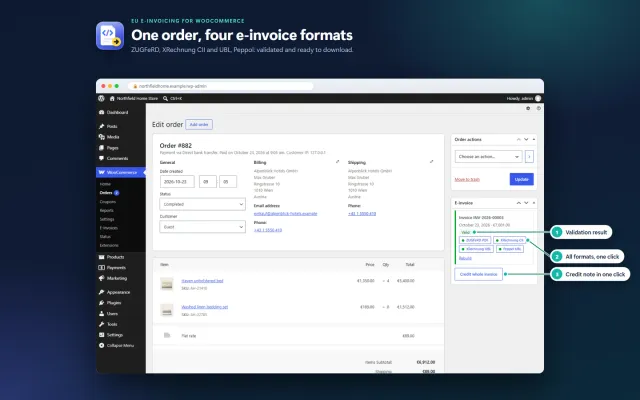
XRechnung, ZUGFeRD/Factur-X and Peppol BIS 3.0 from every order, created on your own server.
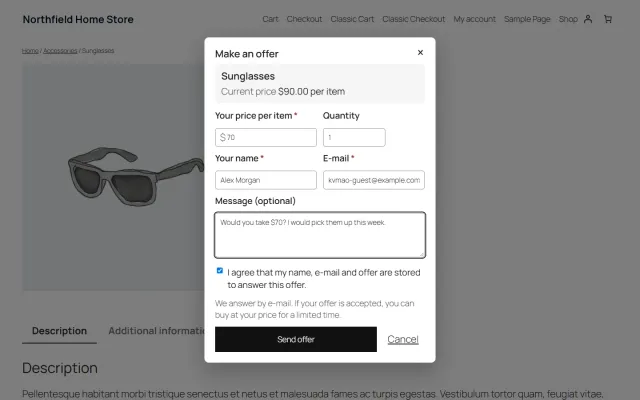
A Make an offer dialog with counter-offers and hidden rules; the agreed price is enforced only in that shopper’s cart.
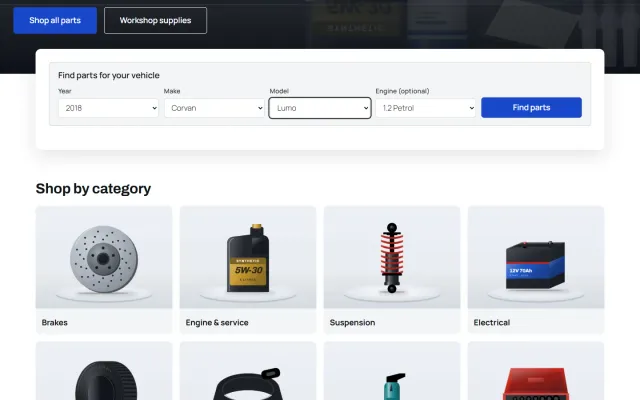
Year, make and model search, My Garage, a fit badge on every product and CSV import for large fitment files.
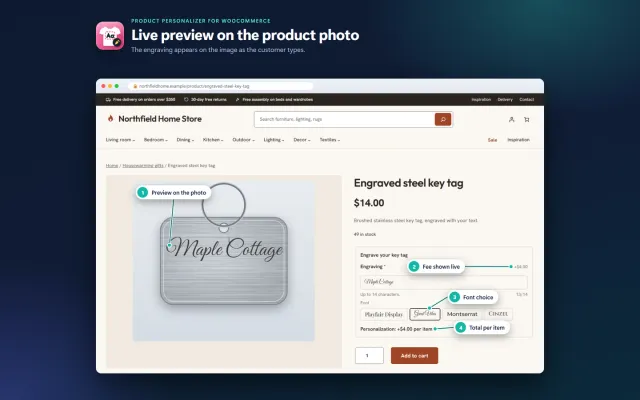
Names, dates and monograms previewed on the product image, with server-checked fees and the block checkout.
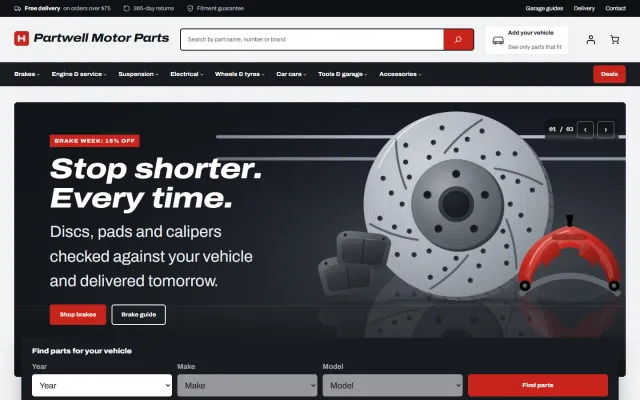
A classic, conversion-first block theme for parts stores, with a garage finder, a fit check on every product and four styles.
Prices, licences, full documentation and instant downloads are on the store.
woocommerce.kaviolabs.com · 29 plugins · 14 themes
FAQ
No. It is a display line worked out from the price. Connect a financing provider for real instalments.
Yes. The Make an Offer button sits under the add-to-cart form and takes the style colours. Both are separate products and Volt does not depend on them.
Volt is designed for the WooCommerce Cart and Checkout blocks, which are the WooCommerce default.
WooCommerce 10.1 to 11.2 on WordPress 6.7 or newer, with PHP 7.4 to 8.3. It is a block theme, so full site editing is part of it.
The store keeps working. Templates, patterns and styles stay and the admin is never blocked; updates, the demo importer and the live countdown script need a valid licence, and timers then show the time left when the page was built.
The stage shows products on sale. Give a product a sale price, optionally with an end date, and mark it as featured.
Chips come from visible product attributes with short values. Some names, such as Brand, Colour and Size, are never shown as chips.
No. It is the price divided by the number of months, shown for information. You can switch it off.
The product page has screenshots of every style, the full documentation and the changelog.
Kavio Labs
The same standards, the same support desk and one licence portal on every platform we build for.