
Sell by Measure
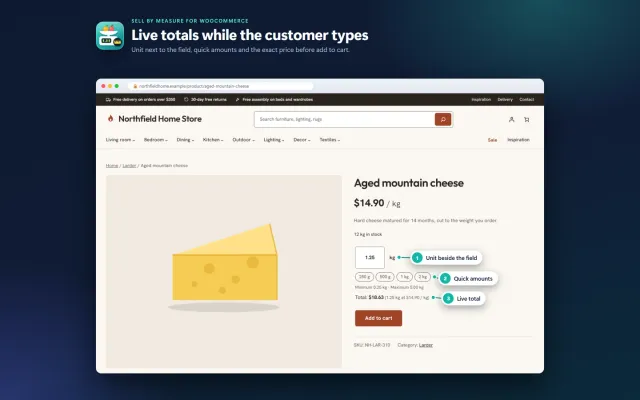
Decimal quantities like 1.25 kg, quick amounts, length × width and exact decimal stock, with the block checkout.
Platforms
 CS-CartAdd-ons and themes for CS-Cart and Multi-Vendor
 OpenCartExtensions and themes for OpenCart 4 and 3
 WooCommercePlugins and themes for WooCommerce
 PrestaShopModules and themes for PrestaShop 8.2 and 9
 ShopifyBuilt for every Shopify plan, billed by Shopify
Stores
WooCommerce guide · EU E-Invoicing
EN 16931 e-invoices and e-credit notes from WooCommerce orders, in four formats, checked against the published rules and created on your own server. No external service, no per-invoice fees.
The problem
E-invoicing mandates for B2B and public-sector sales expect structured EN 16931 data: XRechnung for German public bodies, ZUGFeRD or Factur-X for many B2B buyers, Peppol BIS 3.0 in Belgium and other Peppol countries.
A classic PDF invoice, however nice, is not machine-readable. And sending order data to an external e-invoicing service adds fees and a data processor.
EU E-Invoicing for WooCommerce
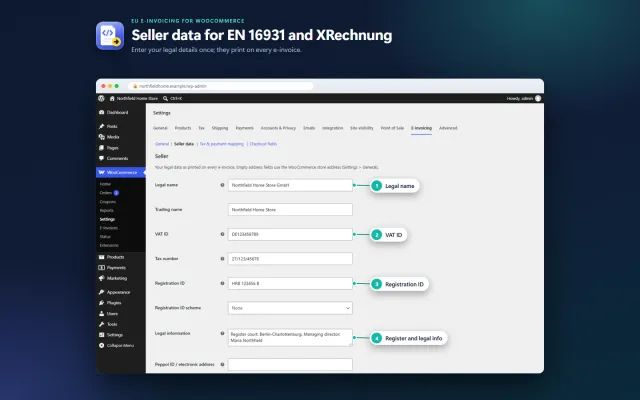
In WooCommerce > Settings > E-invoicing, enter your legal name, VAT ID, address, e-mail and phone, and map each tax rate and payment method.
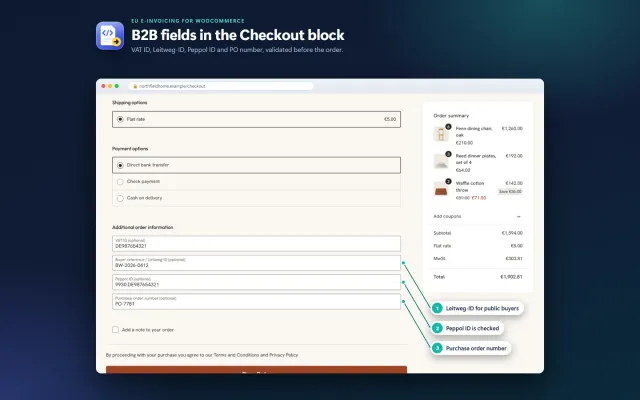
Pick the formats, the default format and the order statuses that create the e-invoice (default: Completed). B2B checkout fields add buyer reference, VAT ID and Peppol ID.
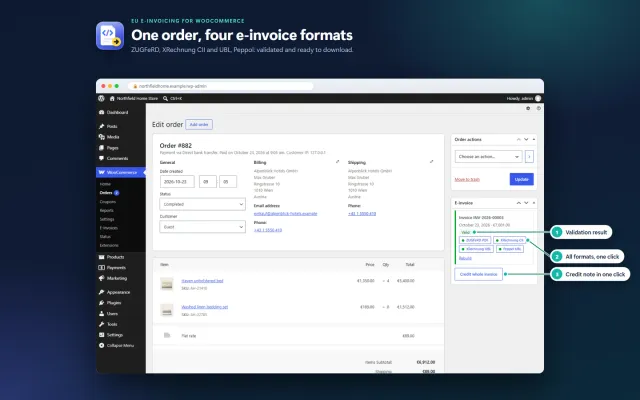
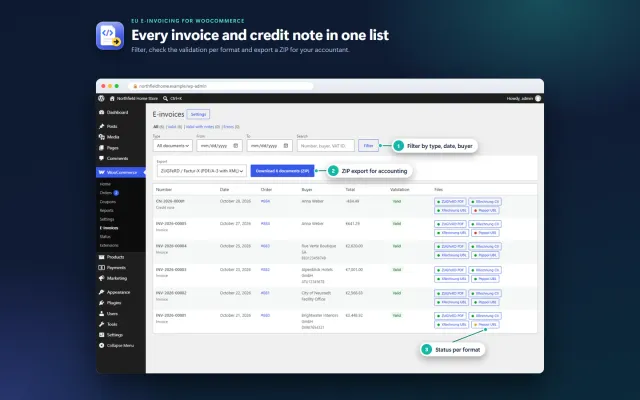
The order screen shows the e-invoice with its validation status. Attach it to e-mails, let customers download it in My Account, or export a ZIP.
ZUGFeRD / Factur-X EN 16931 (PDF/A-3), XRechnung 3.0 CII and UBL, Peppol BIS Billing 3.0.
A credit note per refund, and a full credit note when an invoiced order is cancelled.
Invoice and credit note numbers without gaps, as tax rules expect.
Missing seller VAT ID, IBAN or buyer IDs are shown before you send a file.
Create automatic invoices only for orders with a company, VAT ID, buyer reference or Peppol ID.
High-Performance Order Storage, the Cart and Checkout blocks and the classic checkout.
EU E-Invoicing for WooCommerce
WooCommerce has no invoices of its own, so most stores use a PDF plugin. A PDF suits people. An e-invoice under EN 16931 is structured data for software, and in the EU it is moving from a public-sector requirement to normal B2B practice, with Belgium, France and Germany changing their rules from 2026. Dates and exemptions differ by country, so check with your adviser. Our e-invoicing guide explains the formats.
EU E-Invoicing for WooCommerce turns an order into an EN 16931 e-invoice on your own server. There are no API keys, no monthly fees, and no customer data sent to a third party.
| Format | For |
|---|---|
| ZUGFeRD / Factur-X EN 16931 | A readable PDF/A-3 with the XML inside, the default format |
| XRechnung 3.0 CII and UBL | German public buyers and portals |
| Peppol BIS Billing 3.0 UBL | Upload to a Peppol access point |
Files are attached to the Completed order, Order details and Refunded order e-mails, downloadable in My Account and through guest links, and exportable as a ZIP for your accountant. Over 25 orders in a bulk run go to the background.
Untaxed sales to a buyer with a VAT ID in another EU country are K for goods or AE for services, and exports are G. Orders that a VAT number plugin marked as exempt are recognised, and VAT IDs stored by common plugins are used when our field is empty.
Leave Remove data on uninstall off. Invoices are records you may need to keep. The plugin creates documents in published formats and checks them against published rules. It is not tax or legal advice.
Our release tests run every format through the official validators. In your store, the built-in checks cover the EN 16931, XRechnung and Peppol rules your data can break, such as a missing VAT ID, IBAN, phone or buyer reference, or wrong check digits.
| PDF invoice plugin | E-invoicing SaaS | EU E-Invoicing | |
|---|---|---|---|
| Structured EN 16931 data | Usually no | Yes | Yes |
| Monthly or per-invoice fees | No | Usually | No |
| Data leaves your server | No | Yes | No |
| Peppol delivery included | No | Often | No, needs an access point |
| Archiving included | No | Often | Your responsibility |
If you invoice from an accounting system, issue e-invoices there. This plugin suits stores where WooCommerce is the source of the invoice. Decimal quantities and units from Sell by Measure carry through. Get EU E-Invoicing on the store.
WooCommerce 10.1 to 11.2 on WordPress 6.7 or newer, PHP 7.4 to 8.3, with HPOS, Cart and Checkout blocks, block and classic themes, and WP-CLI.
An existing PDF invoice plugin can stay in place while you test. If two plugins number invoices, though, make sure each number is issued only once, because conflicting numbers cause trouble with accountants.
Store the ZIP exports where your accounting records live. The plugin keeps documents with the order, but your archiving duty is yours.
WooCommerce
EN 16931 e-invoices and credit notes from WooCommerce orders: XRechnung (CII/UBL), ZUGFeRD/Factur-X PDF/A-3 and Peppol BIS 3.0 UBL, gapless numbering, B2B…
WooCommerce
The most requested products on this platform. Each one has its own page, and you can buy it straight on the sales site.
Decimal quantities like 1.25 kg, quick amounts, length × width and exact decimal stock, with the block checkout.
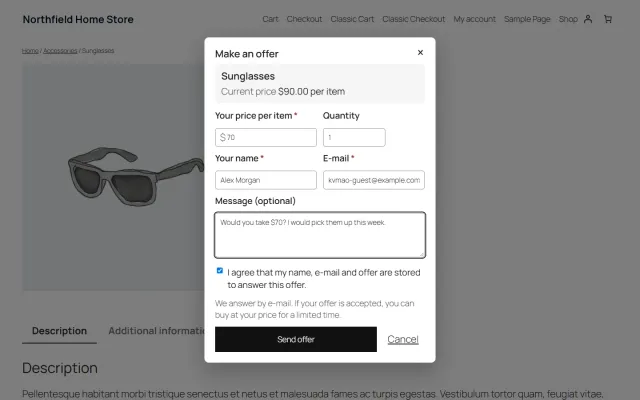
A Make an offer dialog with counter-offers and hidden rules; the agreed price is enforced only in that shopper’s cart.
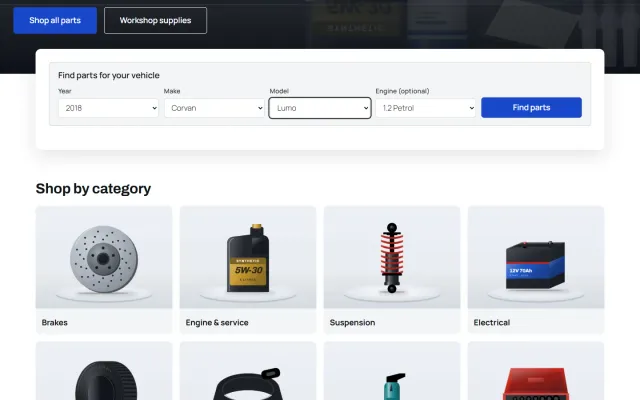
Year, make and model search, My Garage, a fit badge on every product and CSV import for large fitment files.
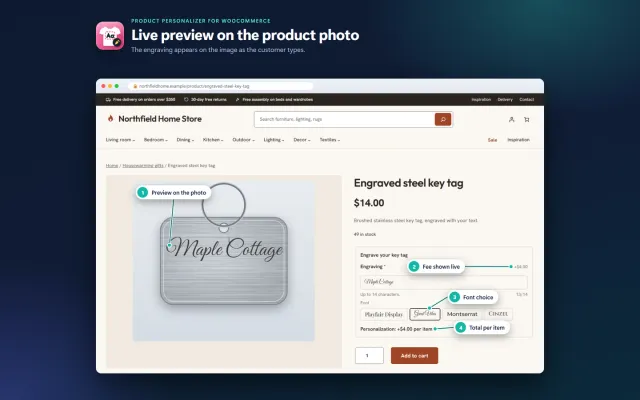
Names, dates and monograms previewed on the product image, with server-checked fees and the block checkout.
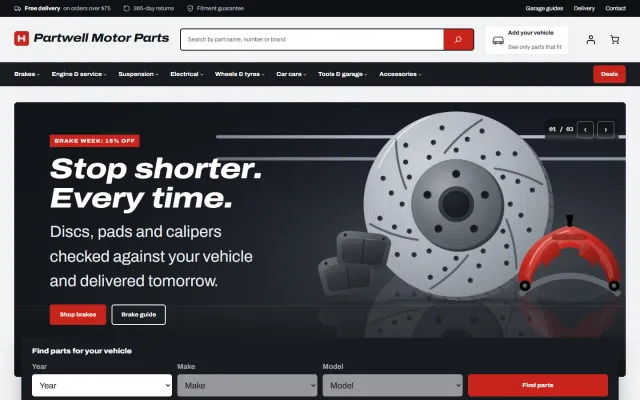
A classic, conversion-first block theme for parts stores, with a garage finder, a fit check on every product and four styles.
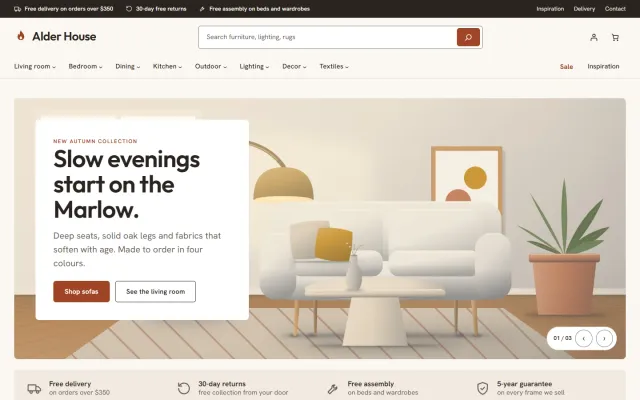
A warm, photo-led block theme for furniture and homeware, with shop by room tiles, filters and four styles.
Prices, licences, full documentation and instant downloads are on the store.
woocommerce.kaviolabs.com · 29 plugins · 14 themes
E-invoicing
Built natively for each platform, not ported. Each version has its own product page, documentation and price.
XRechnung, Factur-X/ZUGFeRD and Peppol BIS 3.0 e-invoices and credit notes from every order.
PrestaShop
Factur-X/ZUGFeRD, XRechnung and Peppol BIS 3.0 e-invoices with your PrestaShop invoice numbers.
Guide
Guide
XRechnung, ZUGFeRD/Factur-X and Peppol BIS 3.0 explained, with the DE, FR and BE timelines and a store checklist.
Read the guideFAQ
Public authorities in Germany expect XRechnung. Most B2B buyers in Germany and France accept ZUGFeRD / Factur-X, which is also a normal PDF. Belgian and other Peppol buyers expect Peppol BIS Billing 3.0.
Release tests check every format with the official validators (KoSIT XRechnung 3.0, EN 16931 and Peppol schematron, veraPDF / Mustang). In your store, built-in checks show missing data before you send a file.
It creates Peppol BIS 3.0 files. Sending needs a Peppol access point, a paid service that is not included.
Yes. The e-invoice uses the same net line totals and taxes as the order, and cent differences from per-line rounding are written as rounding, so the amount due always equals the order total.
No. The plugin creates documents in the published formats and checks them. Which format you must send, and to whom, depends on your country and your buyers.
Yes. VAT ID, buyer reference, Peppol ID and PO number fields work in classic and block checkouts.
Yes. Set the first invoice and credit note numbers, and the series continues from there.
Yes. Each refund of an invoiced order becomes an e-credit note that references the invoice.
Yes, as an attachment to chosen order e-mails, in My Account and through guest links.
The product page has the full documentation, screenshots and the changelog.
Kavio Labs
The same standards, the same support desk and one licence portal on every platform we build for.