
Sell by Measure
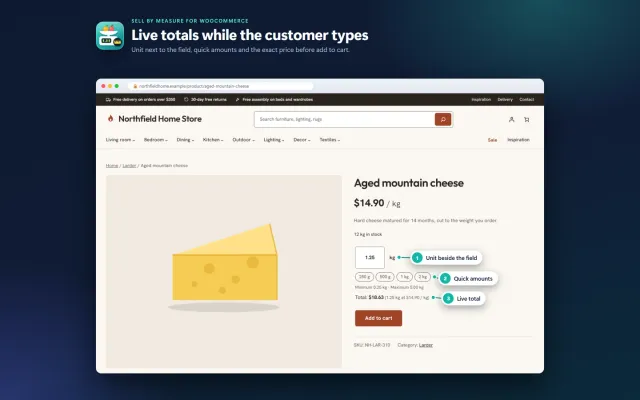
Decimal quantities like 1.25 kg, quick amounts, length × width and exact decimal stock, with the block checkout.
Platforms
 CS-CartAdd-ons and themes for CS-Cart and Multi-Vendor
 OpenCartExtensions and themes for OpenCart 4 and 3
 WooCommercePlugins and themes for WooCommerce
 PrestaShopModules and themes for PrestaShop 8.2 and 9
 ShopifyBuilt for every Shopify plan, billed by Shopify
Stores
WooCommerce theme · Hearth
Hearth is a warm, photo-led block theme for furniture, homeware, lighting, textiles and kitchen stores. Big room photos, rounded image wells, calm typography and a checkout that stays out of the way, with four styles and one-click demo content. Everything is editable in the Site Editor.
The problem
Shoppers buy a home by looking at rooms first and products second. A general theme leads with a grid of small product photos, so nothing shows how the pieces live together.
Furniture is also a considered purchase: shoppers filter by price, brand and rating, read the specifications and want a short, trustworthy checkout.
Hearth: Home & Furniture Theme for WooCommerce
Upload the zip in Appearance > Themes, activate Hearth and choose Clay, Coast, Rattan or Evening in Appearance > Editor > Styles.
One click fills the store with 55 products in 33 categories, 189 reviews, four pages and four posts, and one click removes it again.
Templates, template parts, patterns, colours and fonts are editable in Appearance > Editor. Change the hero slides, the room tiles or the promo banners without code.
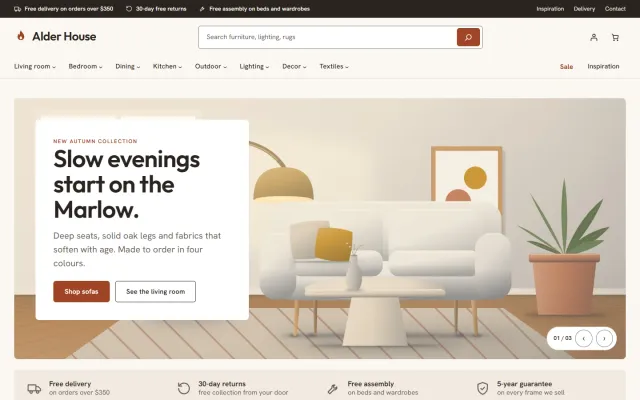
A promise bar, logo, product search, account, mini cart and a room navigation with drop-down menus and a Sale link. Phones get a compact header with a menu button.
Hero slider with a headline card, promise strip, Shop by room tiles, bestsellers, promo banners, makers strip, reviews, ideas and a help banner, all as patterns.
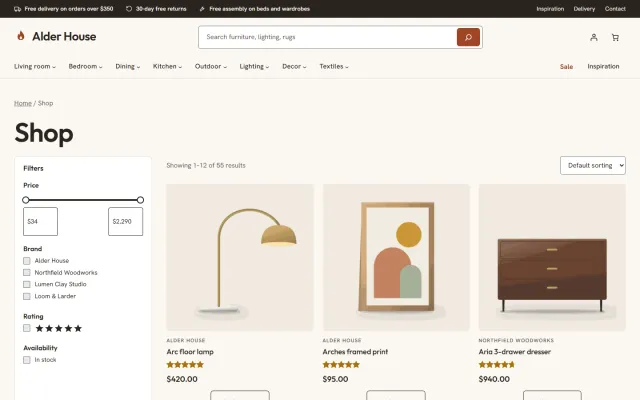
Product filters for price, brand, rating and availability, sorting, result count and a card grid.
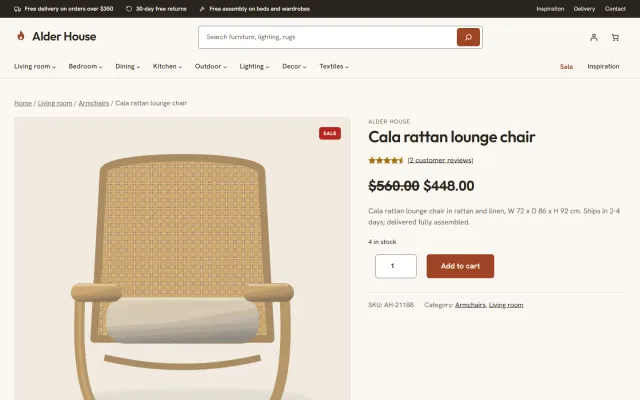
Gallery with thumbnails, maker, price and saving, add to cart, tabs for description, specifications and reviews, and related products.
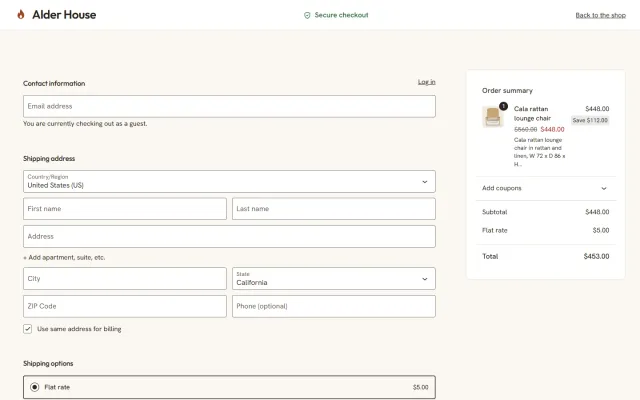
The WooCommerce Cart and Checkout blocks, styled, with a minimal secure checkout header. Neutral to High-Performance Order Storage.
Clay, Coast, Rattan and Evening all meet WCAG AA contrast for text, form fields and focus rings. Outfit and Hanken Grotesk are served from your own site.
Hearth: Home & Furniture Theme for WooCommerce
People buy furniture in rooms, not categories. They think "bedroom" or "dining table for six", then compare materials and worry about delivery. Hearth is built around that: a photo-led hero, a room navigation with drop-down menus, Shop by room tiles, and a promise strip for delivery, returns, assembly and guarantee, where those concerns are answered before anyone asks.
Photos do the selling, so product cards stay calm, and a maker line above the title gives craft stores somewhere to name the workshop or brand.
| Section | How to use it |
|---|---|
| Hero slider | Three slides with photo, headline, text and two buttons. Swipes on phones. |
| Promise strip | Four short promises with icons. |
| Shop by room | Eight tiles. Link them to your own categories. |
| Bestsellers, sale, New in | Product Collection blocks. Change the query in the block settings. |
| Promo banners | Two photos with an offer card. |
| Makers strip | Links to product brand pages. |
| Reviews, Ideas | Three quotes and your latest four posts. |
Each is a pattern under Hearth sections, usable on any page. Store pages include About us, Delivery and returns, and a Care guide.
Filters, sorting and the grid are WooCommerce blocks, so you add or remove filters in the Archive Product template.
Two plugins fit this sector. Sell by Measure handles rugs, fabric and flooring sold per metre or square metre, with a length × width calculator. Make an Offer suits furniture, where shoppers often expect a conversation about price. Both are separate products, and the theme does not depend on them. The Hearth Store Kit bundles a set at one price.
| General theme | Hearth | |
|---|---|---|
| Shop by room | Build it | Included |
| Calm product cards | Tune by hand | Included |
| Block-native | Depends | Yes |
| Delivery and care pages | Write from scratch | Starter patterns |
Hearth is general enough for other home-related stores, since demo content and sections are all editable. Also on OpenCart and PrestaShop. Get Hearth on the store.
WordPress 6.7 or newer, WooCommerce 10.1 to 11.2, PHP 7.4 to 8.3. Neutral to HPOS, and Cart and Checkout blocks are styled by the theme. Fonts are self-hosted with no external requests.
Furniture has long consideration times and high return costs, so your product pages do the work of a showroom.
For search, room and style pages often work better than bare categories: "small dining tables", "oak bedroom furniture". Give each a short useful introduction, written for a person measuring a room.
Care guides are also worth publishing. They answer questions shoppers ask before buying, and they bring in visitors who already own similar pieces.
Think about your returns policy before launch. Large items are costly to collect, so be clear about who pays and in what condition goods must come back.
A theme change touches every page, so work on a staging copy first. Your licence covers a subdomain of your store.
Because everything is built from blocks and patterns, there is no page builder to keep updated, and your content stays yours if you change theme later.
WooCommerce
Warm, photo-led block theme for furniture, homeware and kitchen stores: an image hero slider, Shop by room tiles, rich product cards, filters, a room mega…
WooCommerce
The most requested products on this platform. Each one has its own page, and you can buy it straight on the sales site.
Decimal quantities like 1.25 kg, quick amounts, length × width and exact decimal stock, with the block checkout.
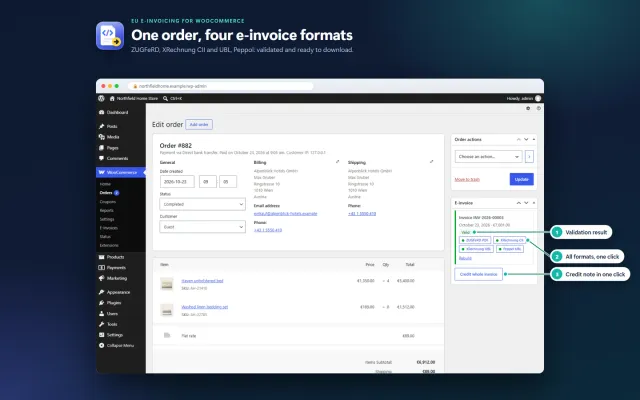
XRechnung, ZUGFeRD/Factur-X and Peppol BIS 3.0 from every order, created on your own server.
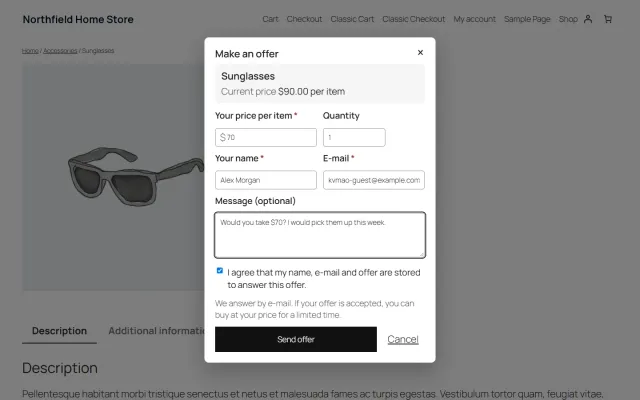
A Make an offer dialog with counter-offers and hidden rules; the agreed price is enforced only in that shopper’s cart.
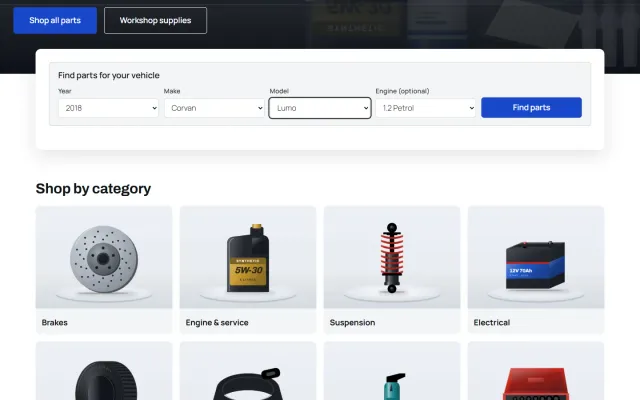
Year, make and model search, My Garage, a fit badge on every product and CSV import for large fitment files.
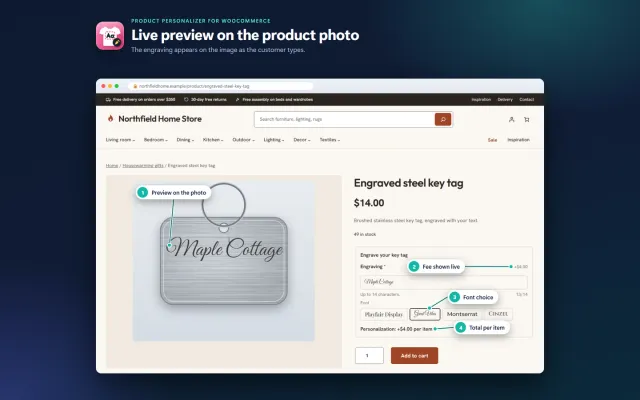
Names, dates and monograms previewed on the product image, with server-checked fees and the block checkout.
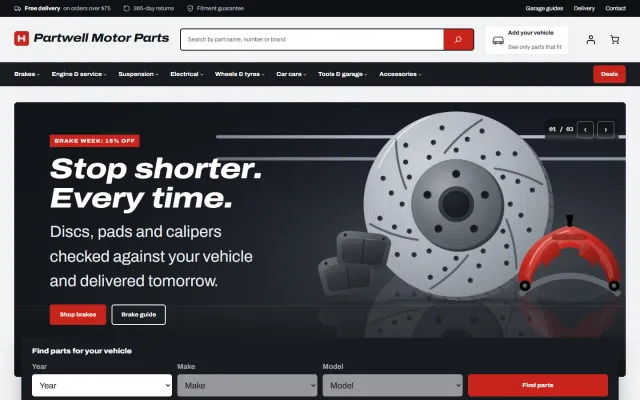
A classic, conversion-first block theme for parts stores, with a garage finder, a fit check on every product and four styles.
Prices, licences, full documentation and instant downloads are on the store.
woocommerce.kaviolabs.com · 29 plugins · 14 themes
FAQ
Yes. Rugs, fabric and flooring can be sold per metre or square metre with Sell by Measure, and furniture prices can be negotiated with Make an Offer. Both are separate products and Hearth does not depend on them.
Hearth is designed for the WooCommerce Cart and Checkout blocks, which are the WooCommerce default.
WooCommerce 10.1 to 11.2 on WordPress 6.7 or newer, with PHP 7.4 to 8.3. It is a block theme, so full site editing is part of it.
Yes. It uses logical CSS properties. The theme itself is an English product.
The store keeps working. Templates, patterns and styles stay and the admin is never blocked; updates, the demo importer and the hero slider controls need a valid licence.
Yes, with Sell by Measure for WooCommerce, sold separately.
The demo links point to demo categories. Edit the tiles and navigation to use your own category links.
From the product brand taxonomy, under Products, Brands. Without brands the line does not show.
Yes. Templates and styles are general, and the home sections are editable.
The product page has screenshots of every style, the full documentation and the changelog.
Kavio Labs
The same standards, the same support desk and one licence portal on every platform we build for.