
Sell by Measure
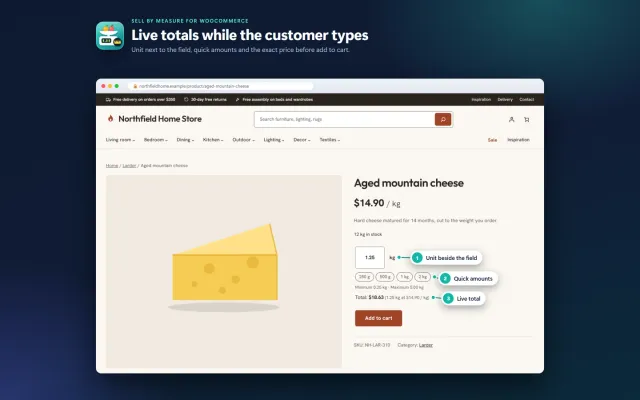
Decimal quantities like 1.25 kg, quick amounts, length × width and exact decimal stock, with the block checkout.
Platforms
 CS-CartAdd-ons and themes for CS-Cart and Multi-Vendor
 OpenCartExtensions and themes for OpenCart 4 and 3
 WooCommercePlugins and themes for WooCommerce
 PrestaShopModules and themes for PrestaShop 8.2 and 9
 ShopifyBuilt for every Shopify plan, billed by Shopify
Stores
WooCommerce theme · Atelier
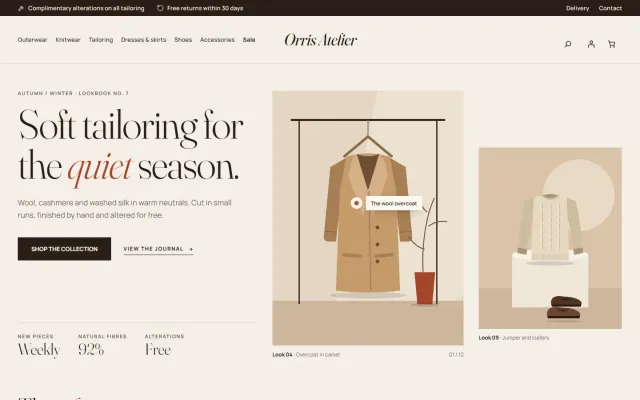
Atelier is a block theme for independent labels, boutiques and concept stores. An oversized serif headline, a lookbook hero with a shop-the-look pin, tall 3:4 product cards with a second photo on hover, hang-tag labels, quick sizes, colour swatches and size chips, a fit scale and a shop-the-look block with one Add all to bag button. Fraunces and Manrope are self-hosted.
The problem
Fashion shoppers choose by look, colour and size. A general theme shows square photos in a plain grid and hides sizes in a dropdown, so they open every product just to see whether their size is in stock.
They also buy outfits, not single pieces. Without a way to shop a whole look, each item becomes a separate visit, and the editorial feel that a label sells on is lost.
Atelier: Fashion & Apparel Theme for WooCommerce
Upload the zip in Appearance > Themes, activate Atelier, then choose Bone, Noir, Sorbet or Sage in Appearance > Editor > Styles.
One click creates Orris Atelier: 18 products in 6 categories, 17 of them variable with Colour and Size attributes, sold-out sizes and colour-specific photos, plus reviews, four pages and three journal posts. One click removes it again.
A variable product with a Colour and a Size attribute drives the swatches, the size chips and the quick sizes on cards. Set an image on each variation and the gallery switches with the colour.
An editorial hero with a shop-the-look pin, and a block that shows the pieces of a look with one Add all to bag button.
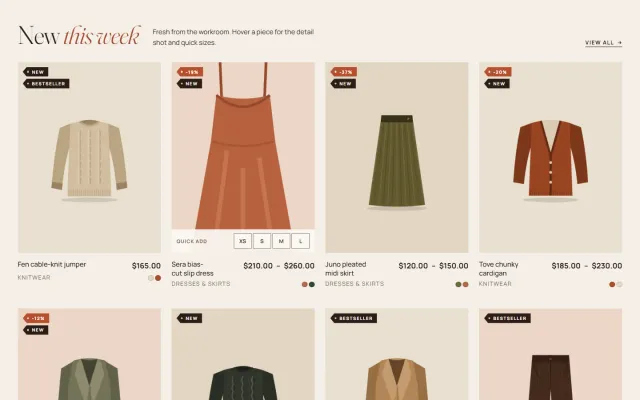
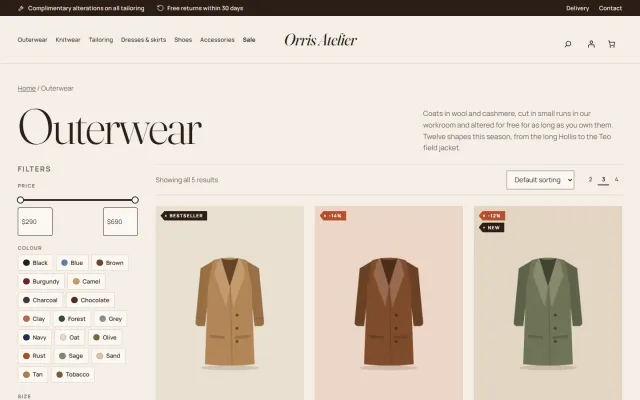
3:4 photo wells with a second photo on hover, hang-tag labels (New, -20%, Bestseller, Low stock, Sold out), colour dots and a Quick add bar whose sizes open the product with that size selected.
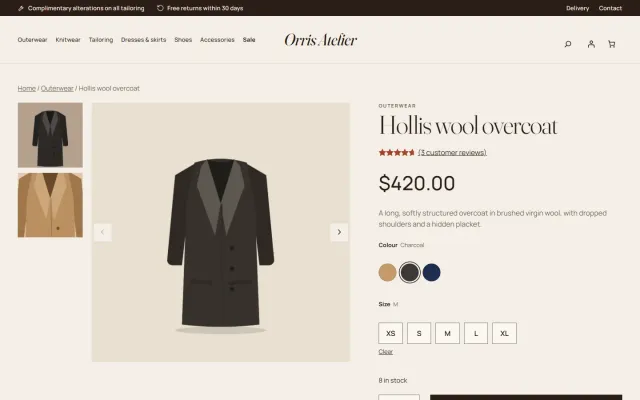
Large round swatches, a size chip grid with sold-out sizes struck through for the chosen colour, and a gallery that switches with the colour.
A fit scale (Runs small, True to size, Runs large), a size guide and an editorial band with fabric, care and fit facts, plus a sticky Add to bag bar on phones.
A huge title, colour, size and fabric filters next to price, rating and availability, sorting, a 2 / 3 / 4 column switch and Showing 12 of 27 progress text.
The WooCommerce Cart and Checkout blocks are styled with a minimal secure header. All four styles meet WCAG AA contrast, and the fonts are served from your own site.
Atelier: Fashion & Apparel Theme for WooCommerce
Clothes sell on image, size and how they go together. Atelier reads like a printed lookbook: an editorial serif hero, tall 3:4 cards with a second photo on hover, hang-tag labels such as New, -20% and Low stock, and quick sizes on the card, so shoppers do not need to open a page to see their size is gone.
The product page puts size and fit first: colour swatches that switch the photo, a size chip grid with sold-out sizes struck through, a fit scale, a size guide, a cloth band, and a sticky Add to bag on phones.
The Shop the look block picks the best seller of each category listed in its marker class. Each piece has a checkbox and a size select, the total follows the ticks, and Add all to bag adds every ticked piece through the WooCommerce Store API. The mini cart updates without a page load. Outfits are how fashion stores raise basket size without discounting.
The shop sidebar lists Colour, Size and Fabric, next to price, rating and availability filters, with a 2, 3 or 4 column switch remembered in the browser.
| Element | Needs |
|---|---|
| Colour swatches | A Colour variation attribute. Variation images switch the photo. |
| Size chips | A Size variation attribute. |
| Fit scale | A Fit attribute. |
| Cloth band | Fabric and Care attributes. |
| Second photo on hover | A gallery image. |
Without this data, those elements are hidden. The demo imports 18 products, 17 with colours and sizes, in 6 categories, so you can see a complete example. Then choose a style, Bone, Noir, Sorbet or Sage, and replace the demo illustrations with your own photography at a consistent 3:4 ratio.
Store page patterns cover About us, Delivery and returns, and a Size and care guide.
| General theme | Atelier | |
|---|---|---|
| Tall lookbook cards | Tune by hand | Included |
| Size availability per colour | Swatch plugin | Included |
| Shop the look | Plugin | Included |
| Sticky buy bar on phones | Varies | Included |
Atelier needs good photos, since the layout has nowhere to hide weak ones. For a value-led store with a very large range, the universal Atlas or Pulse themes on the themes page may suit better. Product Personalizer adds monograms, and Make an Offer sits under the Add to bag button. Also on OpenCart and PrestaShop. Get Atelier on the store.
WordPress 6.7 or newer, WooCommerce 10.1 to 11.2, PHP 7.4 to 8.3. Neutral to HPOS, Cart and Checkout blocks and classic pages styled, Fraunces and Manrope self-hosted, no external requests, all styles at WCAG AA. No product photos are included. The demo uses generated illustrations of a fictional label.
Returns are a major cost in online fashion, and size and fit are a big part of them. Your product data is the cheapest fix.
For search, collection pages with a clear purpose work better than dozens of thin colour pages: "linen summer dresses" rather than a page per shade. Keep sold-out items visible while they will come back, since they can still earn search traffic.
Decide your end-of-size policy. A product with only XS left looks broken on a grid, so consider moving it to a sale page.
Finally, publish a clear returns page. In fashion, many shoppers check it before they buy.
A theme change touches every page, so work on a staging copy first. Your licence covers a subdomain of your store.
Because everything is built from blocks and patterns, there is no page builder to keep updated, and your content stays yours if you change theme later.
WooCommerce
Block theme for fashion and apparel stores that reads like a printed lookbook: a lookbook hero with a shop-the-look pin, tall 3:4 product cards with a…
WooCommerce
The most requested products on this platform. Each one has its own page, and you can buy it straight on the sales site.
Decimal quantities like 1.25 kg, quick amounts, length × width and exact decimal stock, with the block checkout.
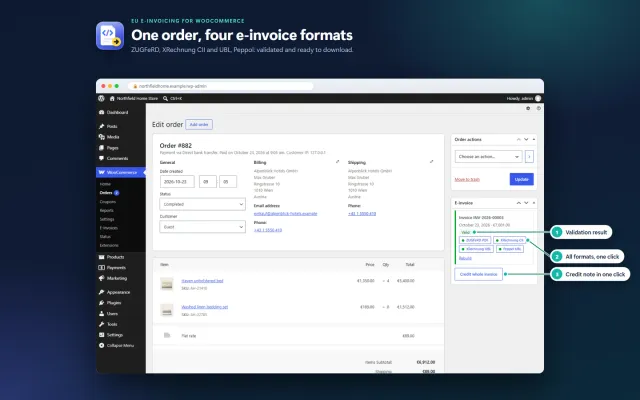
XRechnung, ZUGFeRD/Factur-X and Peppol BIS 3.0 from every order, created on your own server.
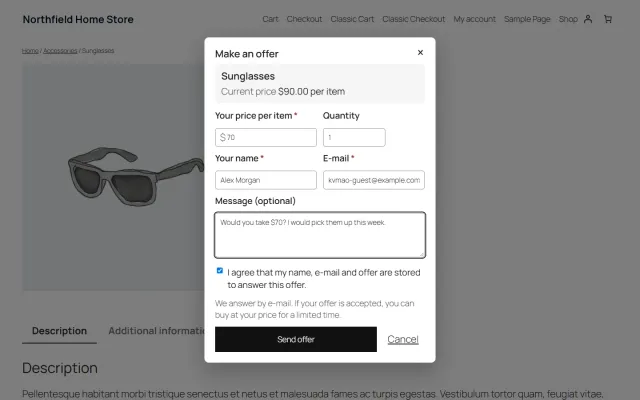
A Make an offer dialog with counter-offers and hidden rules; the agreed price is enforced only in that shopper’s cart.
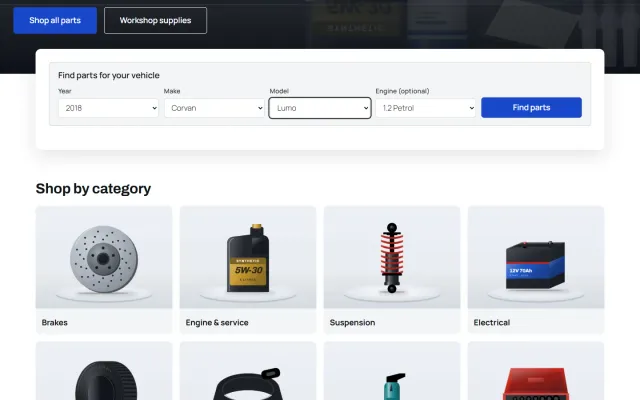
Year, make and model search, My Garage, a fit badge on every product and CSV import for large fitment files.
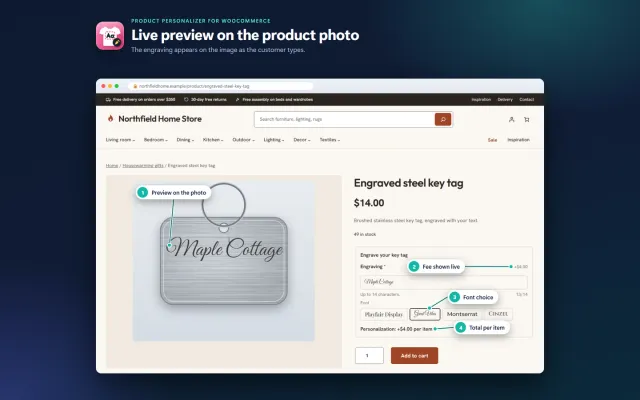
Names, dates and monograms previewed on the product image, with server-checked fees and the block checkout.
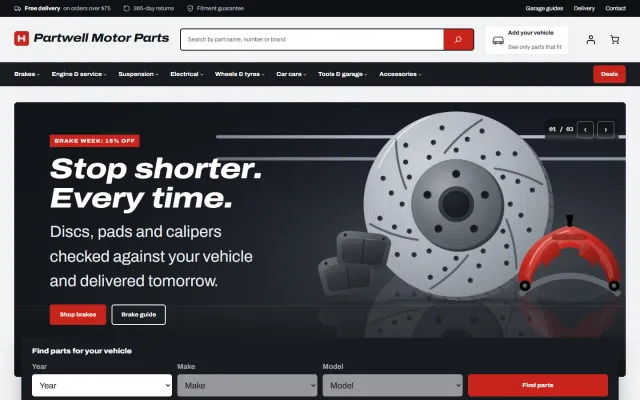
A classic, conversion-first block theme for parts stores, with a garage finder, a fit check on every product and four styles.
Prices, licences, full documentation and instant downloads are on the store.
woocommerce.kaviolabs.com · 29 plugins · 14 themes
FAQ
Yes. Both are styled by the theme and nothing replaces them. The classic cart and checkout shortcode pages work too. The theme never reads or writes orders, so it is neutral to High-Performance Order Storage.
WooCommerce 10.1 to 11.2 on WordPress 6.7 or newer, with PHP 7.4 to 8.3. It is a block theme, so full site editing is part of it.
Swatches need a variable product whose variation attribute is called Colour (or Color). Colours are taken from the name, such as Camel, Charcoal or Sage; unknown names get a neutral tone. In the own-site edition they also need a valid licence or the start period.
Yes. The templates and styles are general; only the home page sections are written for fashion stores, and all of them are editable.
Yes. Monograms and engraving on leather goods or watches, and negotiated prices, are styled to fit. Both are separate products and Atelier does not depend on them.
The store keeps working and the admin is never blocked. Templates, patterns and styles stay. The colour swatches, size chips, shop-the-look button, column switch, demo importer and updates need a valid licence; the variation selects fall back to normal dropdowns.
No. Colour swatches and size chips are part of the theme, using variation attributes.
They need variable products with Colour and Size variation attributes. Without them, WooCommerce shows its normal selects.
It adds every ticked piece through the WooCommerce Store API, so the mini cart updates without a page load.
The product page has screenshots of every style, the full documentation and the changelog.
Kavio Labs
The same standards, the same support desk and one licence portal on every platform we build for.